Convert WordStar to PDF for Archives and Disclosure
The format courts and clients will actually accept.
TL;DR
PDF is the shareable snapshot. WordStar Converter maps `.pl` / `.he` / `.fo` into page setup. Trial 10 files. Standard $39.95.
Why PDF instead of a screenshot of DOS
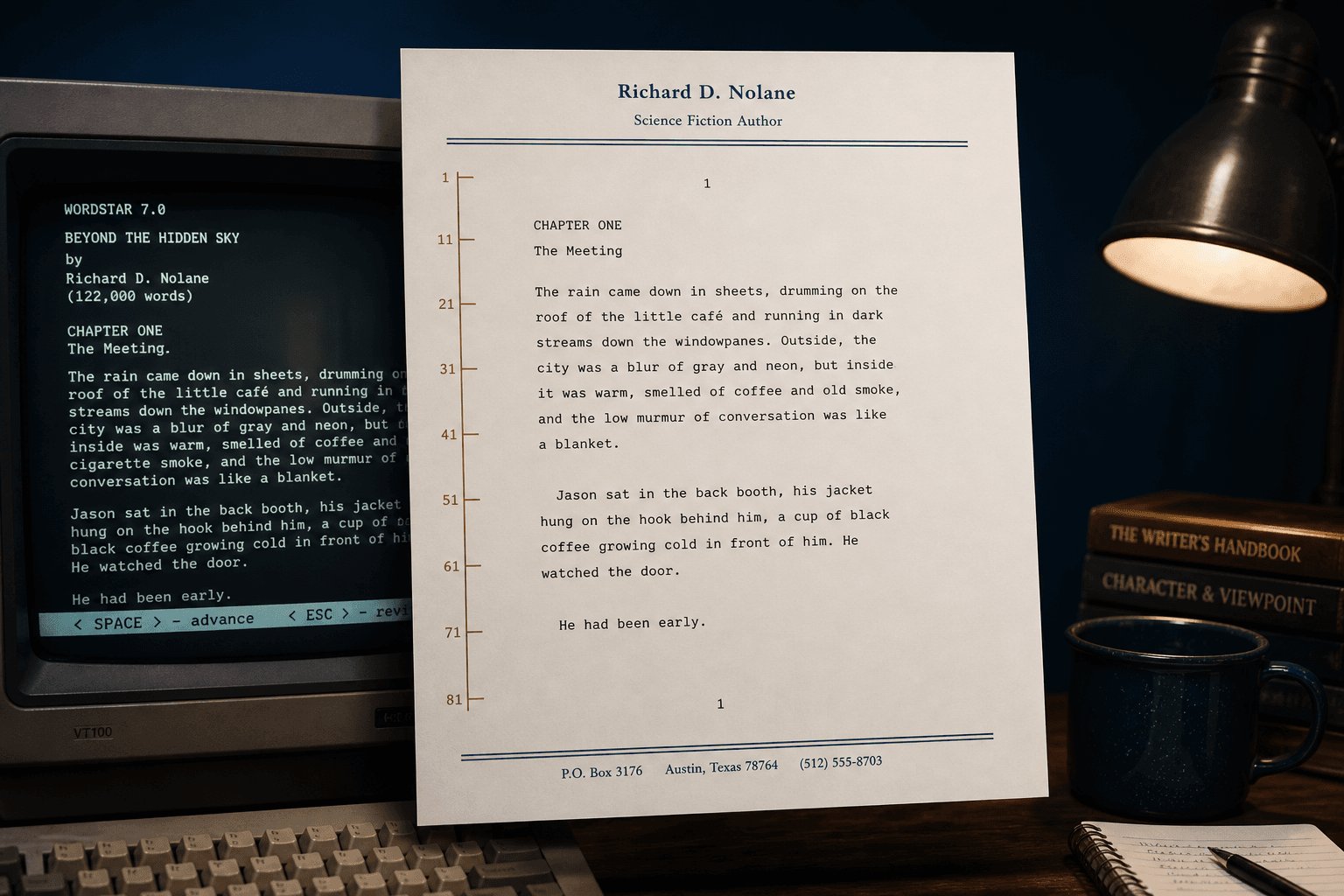
A PDF is searchable, printable, and attachable. A photo of a WordStar screen is not. Native conversion honors the print model WordStar actually used — page length, headers, footers — instead of capturing pixels from a guest OS.
Disclosure sets, reading-room delivery, and client email all assume PDF. Your job is to get there without mangling wrap flags or uploading privileged letters.
What page setup means for WordStar
Dot commands such as `.pl`, `.mt`, `.mb`, `.he`, and `.fo` are the layout. A good PDF path maps those into page geometry and running heads. Dumping them as body text produces a “transcript PDF” that still looks wrong when you print it.
Print controls for bold and underline should become real text attributes in the PDF layer so find-in-document and accessibility tools still work.
Searchable text, not a flat image
Archives fail quietly when someone ships image-only PDFs of WordStar printouts. You cannot grep a scan for a clause. A native text PDF keeps the manuscript machine-readable after conversion.
If your retention system OCRs everything anyway, you still want a clean Unicode layer up front — OCR on mojibake is how names get permanently misspelled.
Disclosure and retention workflows
Legal and records teams usually need a fixed copy they can Bates-stamp, attach to email, or place in a retention system that already understands PDF. Convert the WordStar originals once, keep the `.ws` trees offline as provenance, and circulate the PDF.
Run the conversion on this PC. Privileged correspondence should not cross a cloud upload boundary just to get a readable page.
Batch the archive, sample first
Convert one hard letter with headers and extended characters, open the PDF, then batch the folder. Preserve directory structure into an output tree so exhibit lists stay aligned with the masters.
WordStar Converter’s trial covers 10 local files — enough to validate before Standard ($39.95).
PDF plus DOCX in one pass
Many projects need a frozen PDF for the record and a DOCX for whoever still edits. Emit both from the same native parse so you do not reconcile two different conversion bugs later.
For editable detail see WordStar to Word; for control-layer theory see dot commands.
Estates and large trees
Literary and legal estates are folder jobs. Use recursive scan, optional watch folders for late drops, and local logs. See batch convert a WordStar estate for the runbook shape.
Convert your files
Related reading
Make the archive readable
Trial 10 files. One-time license $39.95.
Free trial
Full app features — up to 10 files
Windows 10 or 11
The Windows installer for the 10-file trial is coming soon. Same app you unlock with a license — 100% local on your PC.
Coming Soon
Windows installer