WordStar Dot Commands, Print Controls, and High-Bit Wrap
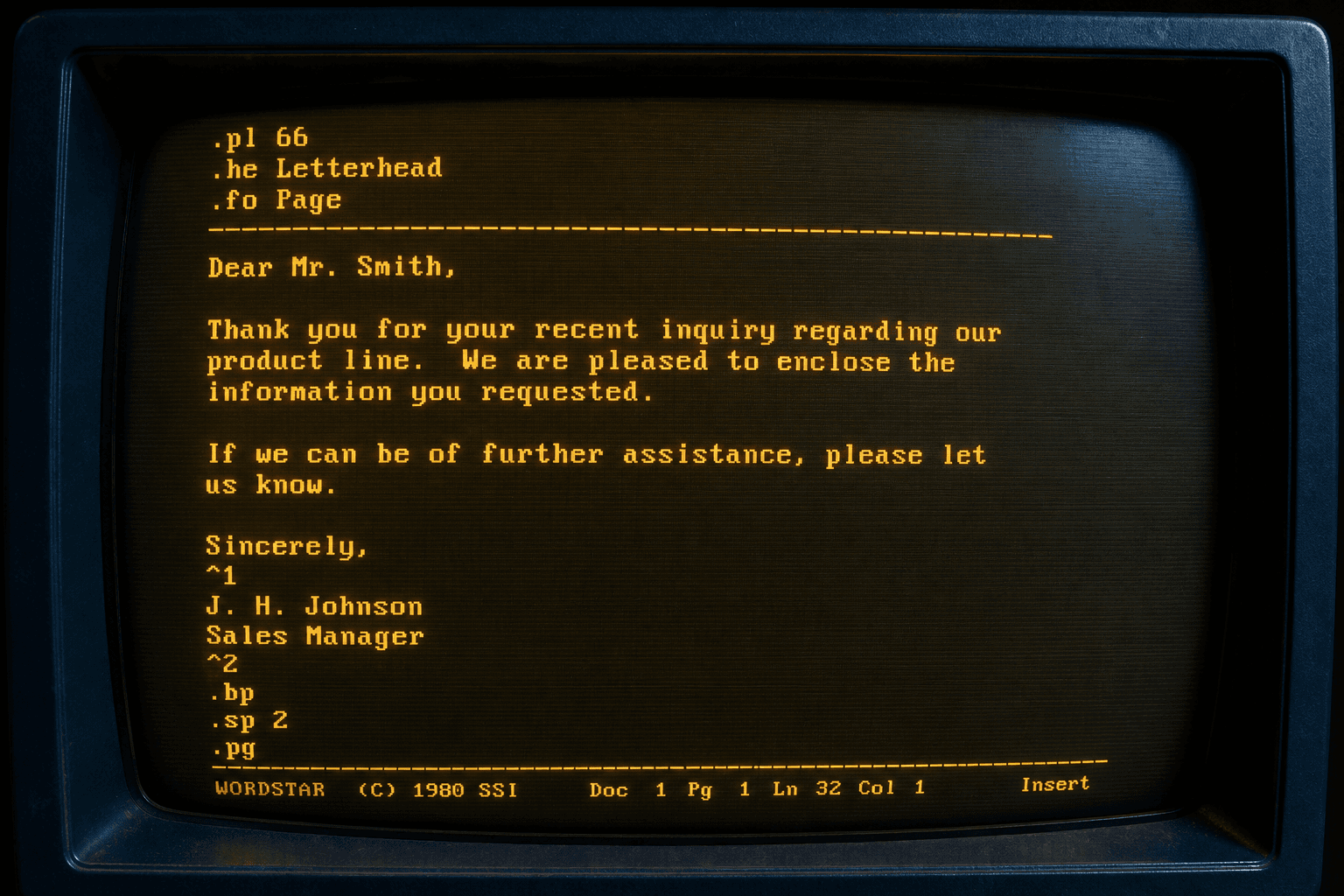
The “markup” in a .WS file is not broken Word — it is the format.
TL;DR
Dot commands set page length, headers, and footers. Print controls mark bold, underline, and strike. High-bit wrap is a flag, not a letter. WordStar Converter maps those layers instead of dumping them into the body.
Dot commands
Lines that start with a period are instructions, not prose. `.pl` is page length. `.mt` / `.mb` are top and bottom margins. `.he` and `.fo` are header and footer. If a converter leaves `.he Acme Legal` in the paragraph, it did not understand the format.
Print controls and sequences
Bytes `00h–1Fh` toggle appearance. `1Bh xx 1Ch` inserts an extended character. `1Dh` starts a symmetrical sequence in later releases. Treat those as binary and you lose emphasis and punctuation.
High-bit wrap
The last character of a word that wraps has its high bit set. Unwrap it to a space or line break. Leave it, and every other word looks like mojibake.
Related reading
Convert with the controls intact
Trial 10 files. Standard $39.95.
Free trial
Full app features — up to 10 files
Windows 10 or 11
Download the Windows installer for the full 10-file trial. Same app you unlock with a license — 100% local on your PC.